Best Free AI Tools for Students and Content Creators in 2026

Free AI tools have become a serious part of how people study, plan, write, design, and publish in 2026. What used to feel experimental is now practical enough to help a student finish an assignment faster or help a creator turn one idea into a blog post, a short video, a thumbnail, and a caption set. The best part is that you do not need a premium subscription to get useful results. With the right mix of free tools, you can save time, reduce mental clutter, and produce better work without feeling overwhelmed.
Why Free AI Tools Matter in 2026
Students and content creators face the same basic problem: too many tasks, too little time, and not enough energy to do everything manually. A student may need to research a topic, summarize lecture notes, rewrite a paragraph, and create a presentation before midnight. A content creator may need to brainstorm ideas, draft scripts, edit captions, resize graphics, and cut a video into short clips. Free AI tools help by removing friction from those repeated tasks. They do not replace thinking, but they make thinking faster, cleaner, and easier to organize.
What makes 2026 different is that free tools are no longer limited to simple text generation. Many now offer transcription, image creation, design templates, automated captions, citation support, and even basic video editing assistance. That means a single free account can support an entire workflow from research to publishing. The real skill is not finding the most tools. It is choosing a few dependable ones and learning how to use them well.
Best Free AI Tools for Writing and Brainstorming
For both students and creators, writing is usually the first place where AI makes an immediate difference. Whether you are drafting an essay, planning a YouTube script, or turning rough notes into a polished post, a writing assistant can help you move from blank page to workable draft in minutes. The key is to treat AI as a collaborator that speeds up structure, wording, and clarity, not as a shortcut that removes your own voice.
ChatGPT Free for Drafting and Idea Generation
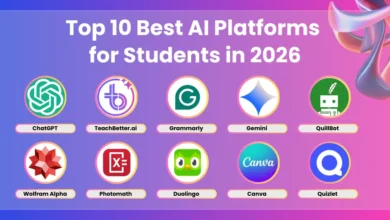
ChatGPT’s free tier remains one of the easiest starting points because it handles a wide range of tasks well. Students can use it to brainstorm thesis statements, break down complex ideas, generate quiz questions, or simplify academic text into study notes. Content creators can use it to outline articles, come up with video hooks, rewrite captions, and generate multiple title variations. If you give it specific context, it becomes much more useful. Instead of saying, write about productivity, try asking for a 700-word blog outline for first-year university students with a friendly, practical tone.
The biggest strength of ChatGPT Free is flexibility. It can help you think through an argument, compare angles for a topic, or turn messy notes into a cleaner plan. The biggest limitation is that you still need to verify facts and shape the tone yourself. The best results come when you ask for structure first, then refine the output in your own voice.
Gemini for Fast Research and Google-Friendly Workflows
Gemini is especially useful for users who already live inside Google Docs, Gmail, Drive, and Chrome. It can help with quick explanations, draft revisions, brainstorming, and light research tasks. For students, that means getting a faster grasp of difficult concepts or generating a cleaner summary of a topic before studying it more deeply. For creators, it is handy when you need a quick content angle, social caption ideas, or a comparison of approaches for a campaign.
Gemini works best when the task is short, direct, and connected to everyday productivity. If you are planning a class presentation or building a content calendar, it can save time by helping you organize the first draft. As with any AI tool, use it as a starting point, then add your own examples, opinions, and evidence.
Claude Free for Natural, Human-Sounding Writing
Claude’s free tier is often appreciated for its smoother tone and thoughtful long-form responses. Students who need help cleaning up essays or creating study guides often like it because the writing can sound less mechanical. Content creators may prefer it when they want a script, article, or email that feels conversational and easy to read. If your draft already exists and simply needs to sound more natural, Claude is a strong option to test.
It is particularly helpful for revising large chunks of text. You can paste in a rough draft and ask for a clearer structure, less repetition, or a friendlier tone. That makes it useful for students polishing reports and creators fine-tuning newsletters or blog posts. Even so, always review the final version carefully, especially if the work needs to sound like you rather than an AI assistant.
Research, Citation, and Note-Taking Tools
Good output depends on good input. That is why research tools matter so much. If you can collect reliable information quickly, you spend less time jumping between tabs and more time understanding what the topic actually means. The smartest users do not ask AI to think for them. They use it to locate, organize, and clarify the best source material.
Perplexity for Source-Led Answers
Perplexity is a strong free option for research because it is designed to search the web and present source-backed answers. Students can use it to explore a topic before writing a paper, identify key terms, or discover reputable sources to read further. Content creators can use it to verify facts, compare trends, or gather background information for articles and scripts. It is especially useful when you want an answer that includes links and source trails rather than a standalone paragraph.
This makes Perplexity valuable for fact checking, but it should still be used carefully. Any AI research tool can miss context or oversimplify a subject, so it is wise to open the sources it cites and read the original material. Think of it as a research assistant that helps you get to the right books, articles, and pages faster.
Otter and Other Free Transcription Tools
Transcription tools save time for students who attend lectures, interviews, or study group sessions and later need usable notes. They also help creators who record interviews, podcast segments, or brainstorm sessions and want a text version they can search through. Free transcription plans often include enough minutes to cover smaller tasks, and even partial automation can make note-taking far easier.
After transcription, you can ask another AI tool to summarize the key points, extract action items, or turn the transcript into a cleaner outline. That workflow is especially powerful for students revising from lectures and creators repurposing spoken content into blog posts or captions.
Design Tools That Make Content Look Better
Visual quality matters more than ever in 2026. A well-written post with weak visuals can be ignored, while a simple idea presented cleanly can attract attention immediately. Free AI design tools make it easier to create posters, thumbnails, social graphics, class slides, and promotional images without needing advanced design skills.
Canva Free for Templates and AI-Assisted Design
Canva remains one of the most practical tools for both students and creators because it combines templates, drag-and-drop editing, and useful AI features in one place. Students can use it to build presentations, infographics, flashcards, and project covers. Content creators can use it to design YouTube thumbnails, Instagram posts, Pinterest graphics, and simple brand kits. The interface is beginner-friendly, which means you can move from idea to finished visual quickly.
AI features in Canva can help speed up layout decisions, suggest designs, and generate quick visual elements. Even if you do not use every AI function, the free plan is still valuable because it removes the usual barriers around design. You do not need to be a graphic designer to create something that looks polished and intentional.
Microsoft Designer for Quick Social Graphics
Microsoft Designer is useful when you need attractive social visuals fast. It can turn prompts into graphic concepts and help create clean promotional images for posts, announcements, and simple campaigns. Students may use it for class projects, club event flyers, or presentation graphics. Creators may use it for quote cards, story images, or basic brand visuals.
Its strength is speed. You can create a design direction in a few minutes, then adjust colors, layout, and text until it fits your purpose. If your workflow demands quick turnaround more than deep customization, this tool can be a smart addition.
Adobe Express for Polished Content Assets
Adobe Express is another strong free option for making content look clean and professional. It is especially useful for resizing designs, building simple animations, and creating branded assets that need a more refined finish. Students can use it for posters, presentations, and digital portfolios. Creators can use it for campaign visuals, thumbnails, and social banners.
The free plan may not include every premium feature, but it still gives you enough flexibility to produce useful results without a steep learning curve. If you want an alternative to a more casual template-based tool, Adobe Express can offer a slightly more polished feel.
Video and Audio Tools for Creators
Short-form content continues to dominate attention in 2026, and that makes video tools essential. Even students now create class explainers, digital portfolios, and quick presentations that feel like media projects. Free AI tools can help with captions, trimming, voiceovers, and repurposing one video into multiple formats.
CapCut Free for Fast Video Editing
CapCut is one of the most useful free tools for creators because it combines editing features with AI-powered conveniences such as auto captions, scene detection, background removal, and quick formatting for short videos. If you create TikTok clips, Reels, Shorts, or educational explainers, CapCut can dramatically reduce editing time. Students can also use it to make class videos or project presentations more dynamic.
The main advantage is how quickly it turns raw footage into something watchable and polished. You can trim clips, add captions, clean up pacing, and export content in the right aspect ratio without juggling multiple apps. For creators who post regularly, that efficiency matters a lot.
Free Voice and Audio Assistants
Free text-to-speech and audio enhancement tools can be surprisingly helpful when you need narration, testing for scripts, or alternate voice options. Some tools offer limited free credits that are still enough for small projects, especially if you only need short clips or sample readings. Students might use them for language practice or accessibility support. Creators might use them to prototype a voiceover before recording the final version themselves.
The best approach is to use these tools lightly. Let AI handle the first draft of the audio experience, then refine the pace, tone, and timing to make the final piece feel intentional. Human taste still matters more than the tool itself.
How to Choose the Right Free AI Stack
With so many free options available, it is tempting to install everything and hope for magic. That usually leads to confusion instead of productivity. A better method is to choose one tool for each major task: one for writing, one for research, one for design, and one for video or audio if you create content often. This keeps your workflow simple and helps you learn each tool well enough to get consistent results.
A practical student workflow could look like this: use Perplexity to gather background information, ChatGPT or Claude to shape an outline, Grammarly or LanguageTool to polish the final text, and Canva to design slides or a project cover. A content creator might use Gemini or ChatGPT to brainstorm hooks, CapCut to edit video, Canva to build thumbnails, and a transcription tool to turn spoken content into text. The most effective stack is the one that matches your habits instead of fighting them.
Keep Privacy, Accuracy, and Originality in Mind
Free AI tools are useful, but they are not perfect. Some may save your prompts for model improvement, some may produce outdated facts, and some may generate content that sounds good but lacks depth. That means you should always protect sensitive information, verify important claims, and avoid copying AI output without editing. Students should be careful with academic integrity, and creators should be careful with originality and audience trust.
If a tool asks for login details, file access, or personal data, read the permissions before continuing. If you are using AI for school, check your institution’s rules. If you are using it for content, make sure the final result still sounds like your brand and reflects your actual ideas. AI is most valuable when it supports your judgment rather than replacing it.
The strongest users in 2026 will not be the people who rely on every new tool that appears. They will be the ones who understand their own goals, pick a small set of free AI apps that solve real problems, and use them consistently. When that happens, the technology stops feeling like a distraction and starts feeling like a quiet advantage that helps you learn faster, create better, and work with more confidence.